Payment plans, pickup lists and before and after care: what's new on Enrichment.kids
 Jessie Feller
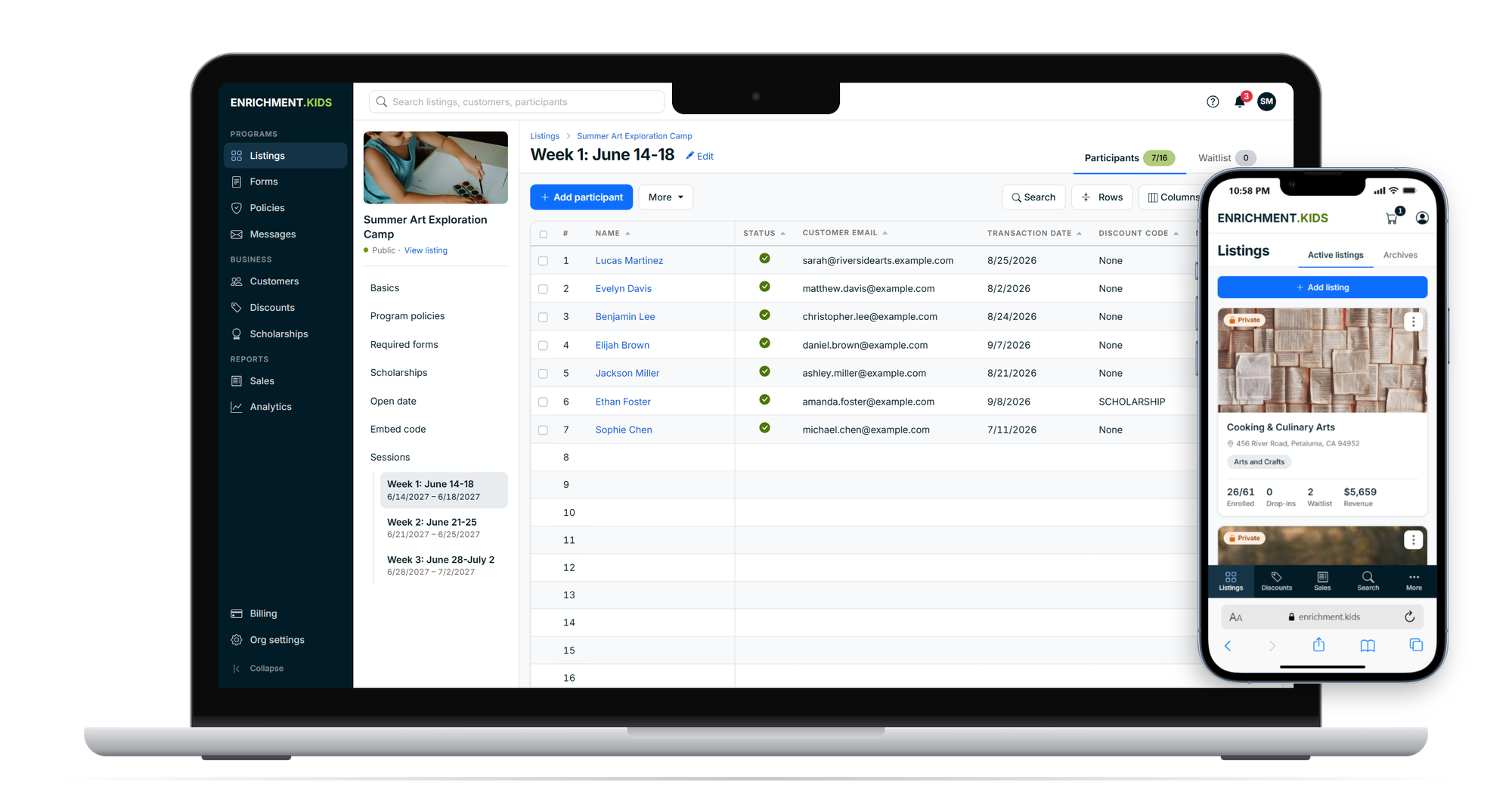
Since August, we've added more to Enrichment.kids than in any season before. Much of it came from conversations with you: the Friday afternoon spent emailing people about forms, the deposit you had to track in a spreadsheet, the clipboard at the door with a pickup list nobody can read. Here's what's new, grouped by the problems it solves.
Get paid without chasing anyone
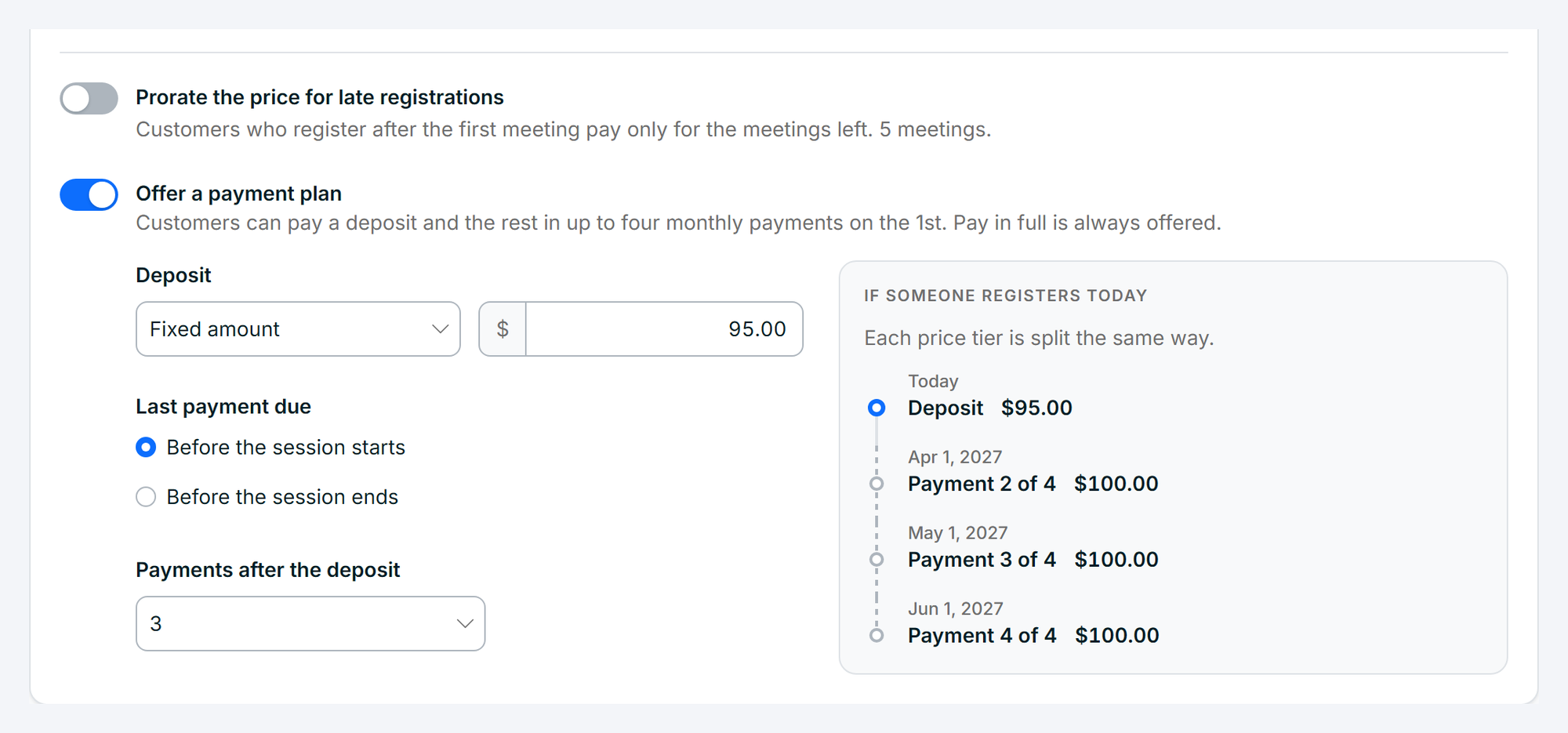
Payment plans. Let customers pay a deposit today and the rest in monthly payments, charged automatically on the 1st. You pick the deposit and the number of payments, and customers can always choose to pay in full. A bigger price is easier to say yes to when it's spread across a few months, and you never have to send a reminder.
Monthly billing for ongoing programs. After-school classes, preschool rooms and anything else that runs month-to-month can bill every month with no end date. Customers are charged on the 1st until they cancel, and a month they cancel in still finishes out. When your price goes up, you set the new price and the date it starts, and current customers get notice before their first charge at the new price.
You stay in control of every payment. A customer had a hard month? Reduce a payment, waive it, skip a month or move a due date from the registration itself. If a card is declined, it's retried automatically, and anything still unpaid shows up for you to follow up on.
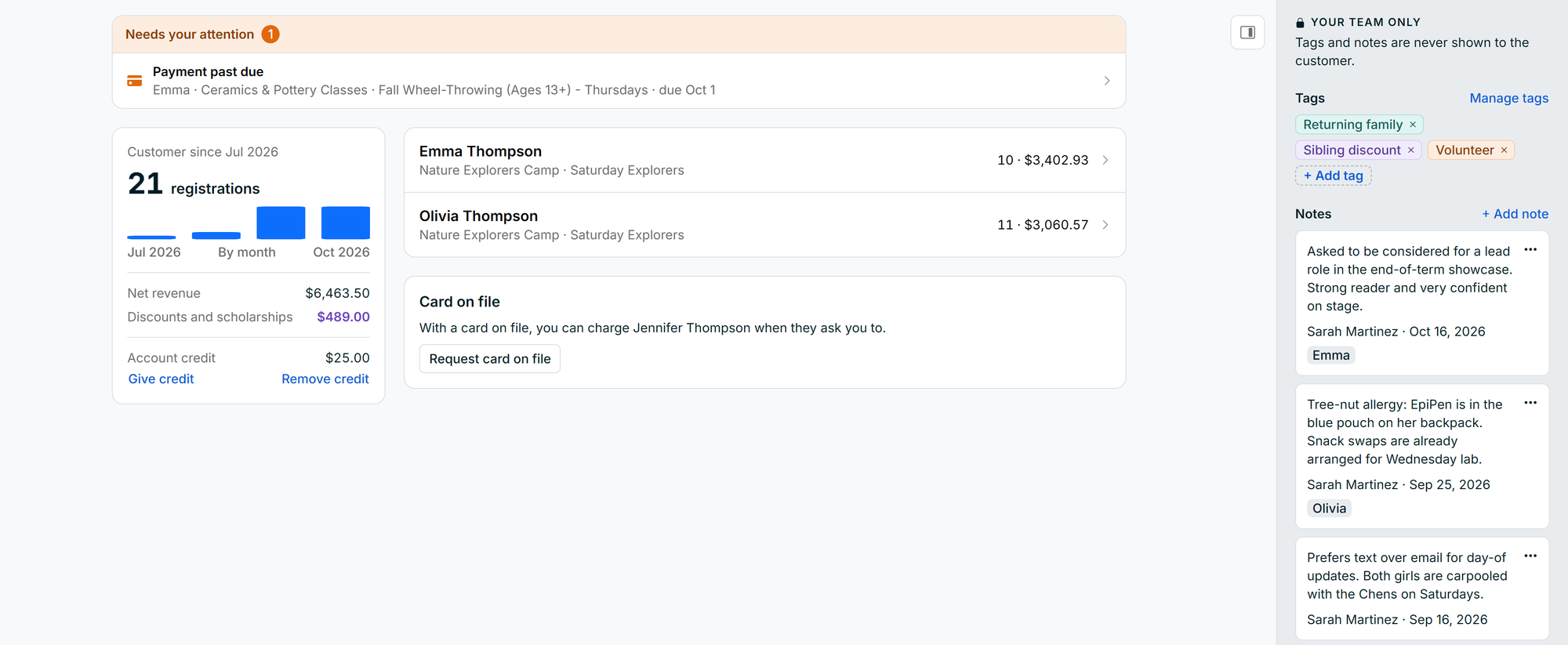
Charge a card on file. Ask a customer to keep a card on file with you. Once they approve, you can charge it when they call to add a session or an extra week, with no payment link and no back-and-forth.
Account credit. Instead of refunding a cancelled week, give the customer credit with you. It's used automatically the next time they register or have a payment due.
Fair prices for late joiners. A session can lower its price automatically once it has started, so someone joining in week three pays only for the meetings left.
Sell more of what you already offer
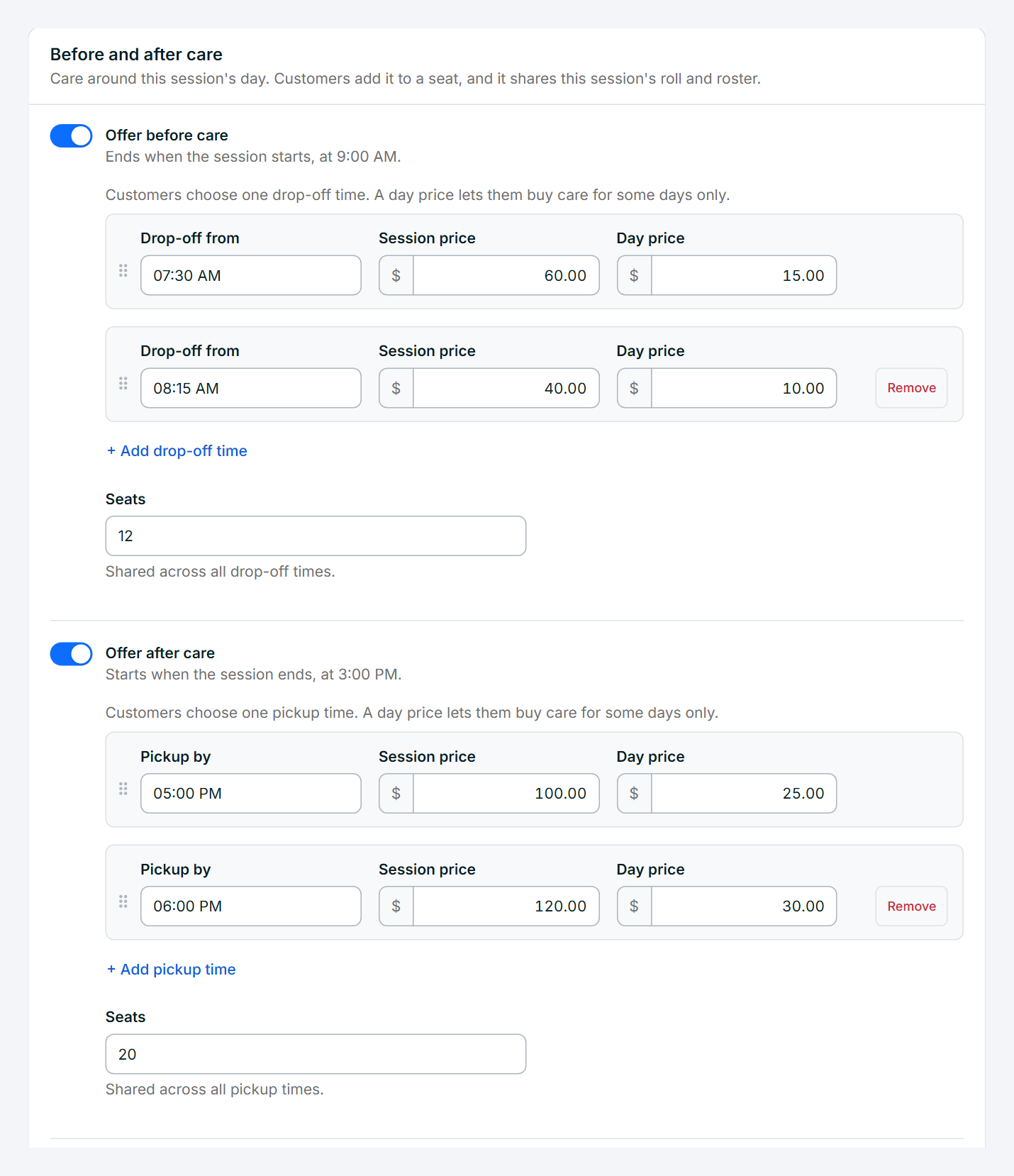
Before and after care. Add early drop-off and late pickup to any session, with as many drop-off or pickup times as you run and a price for the whole session or by the day. Customers add care while they register, or later from their own account. Care children show up on the same roster and the same check-in list, so nothing lives in a separate spreadsheet. If care doesn't run on certain days, mark those days and customers see it before they buy.
Applications and scholarships. Make a session application-only, with your own application forms and an optional application fee. You review each application, accept or decline it, and the people you accept get an invitation to register. Scholarships work the same way: customers apply, you decide, and the award is applied when they register. You can report on every scholarship you've given at the end of the year.
Discounts that work the way you do. Offer a discount when one child takes two or more sessions, alongside the sibling discount. Discount codes can now have a limit, so a code for your first 20 sign-ups stops at 20.
Close registration when you need to. Stop online sign-ups a set number of hours before each session or drop-in day, so you're never surprised by a registration the night before. You can still add someone yourself.
Invitations with a deadline. When you invite someone off the waitlist, you can give them a time limit. If they haven't registered in time, the spot opens up for the next person, and you're told.
One page for everything you offer. Your organization now has its own public page listing every session across all your programs. It's a single link to put in your email signature or your Instagram bio.
Paperwork you don't have to chase
Signed forms you can stand behind. Every form a customer submits is kept as a signed record with a downloadable PDF that shows who signed it and when. If you're ever asked to prove a waiver was signed, it's one click away.
Ask for forms after someone registers. Added a new medical form mid-season? Ask every registered customer for it, and they fill it out from their account. Answers they gave on earlier forms are filled in for them, so they only answer what's new.
File uploads. Forms can ask for photos and PDFs, like an immunization record, a custody order or a doctor's note, and they're kept with the form.
Fix a typo yourself. If a customer misspelled a phone number or a pickup person changes, you can correct the answer on the spot. The customer's signed original is never altered.
Forms for one session. A session can ask for forms of its own on top of the listing's forms, such as a permission slip for the week with the field trip.
Check-in and pickup, from your phone
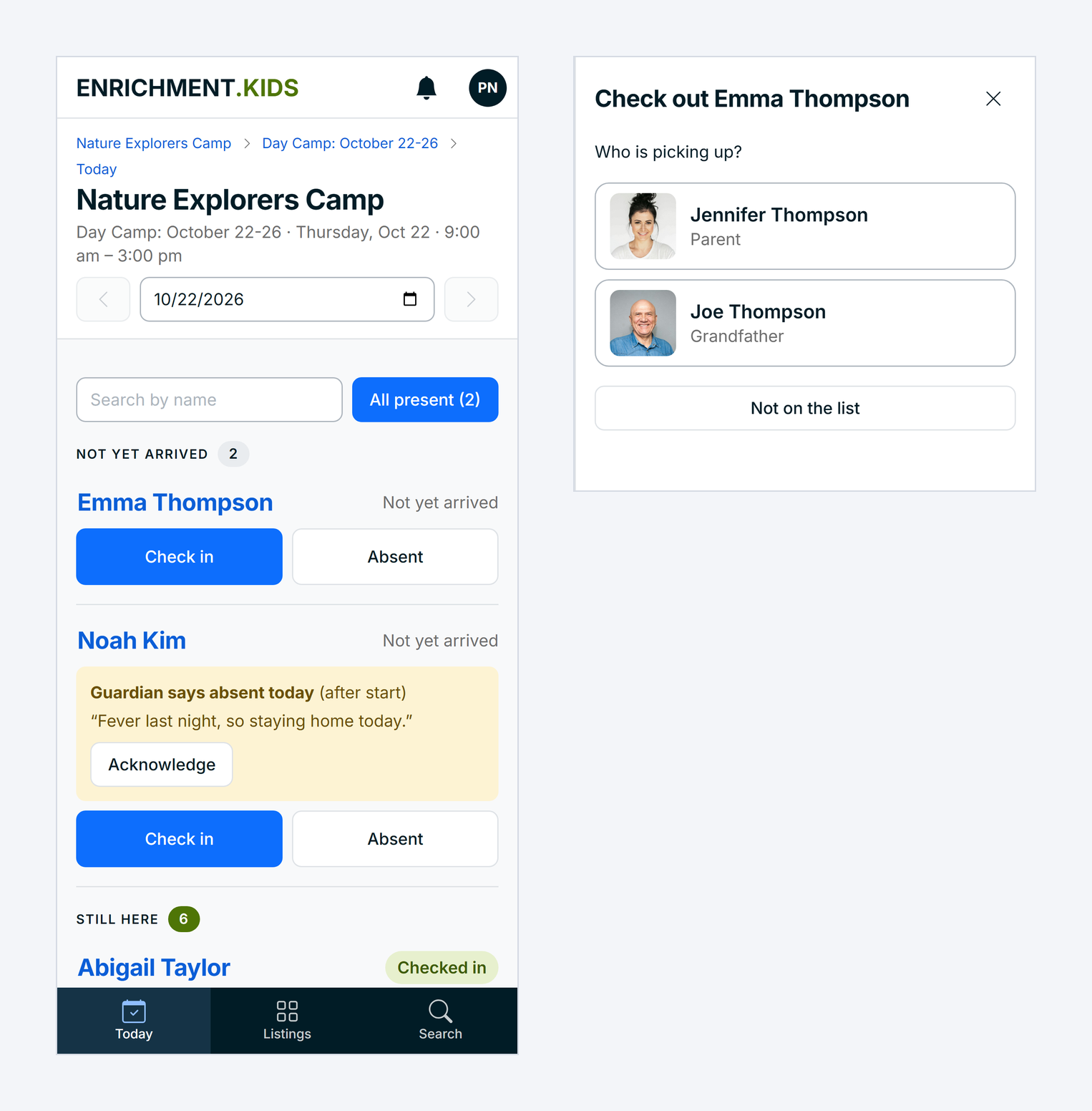
This is the change we're proudest of. Turn on attendance for a listing, and your staff take attendance from their phones. Each child is checked in or marked absent with one tap. At the end of the day, staff check each child out to an adult on the pickup list the guardian filled out, with each adult's name, relationship, phone number and photo right there.
- Guardians tell you about absences. A guardian can tell you a child will be absent or late, and the note shows up on the check-in list right away. You can also mark planned absences ahead of time.
- Notes where staff need them. Mark a note as important, like an allergy or a custody detail, and it's flagged next to the child's name on every list. A note for today, like "Grandma is picking up," appears on that day's pickup list.
- A tablet at the door. Set up any tablet as a check-in kiosk. Each customer gets a pickup code to share with the adults on their pickup list, and the kiosk only releases a child to someone on it.
- Signatures, if you want them. Ask for a typed or drawn signature at pickup, and at drop-off too if you like.
- A record of every day. Download each day's sign-in and sign-out sheet as a PDF or a spreadsheet.
Know your customers, and keep them in the loop
Every customer in one place. Each customer now has their own page with every child, every registration, what they've paid and what's still due. Add your own tags, like "Returning" or "Volunteer," and notes only your team can see. Notes can be about the whole account or one child.
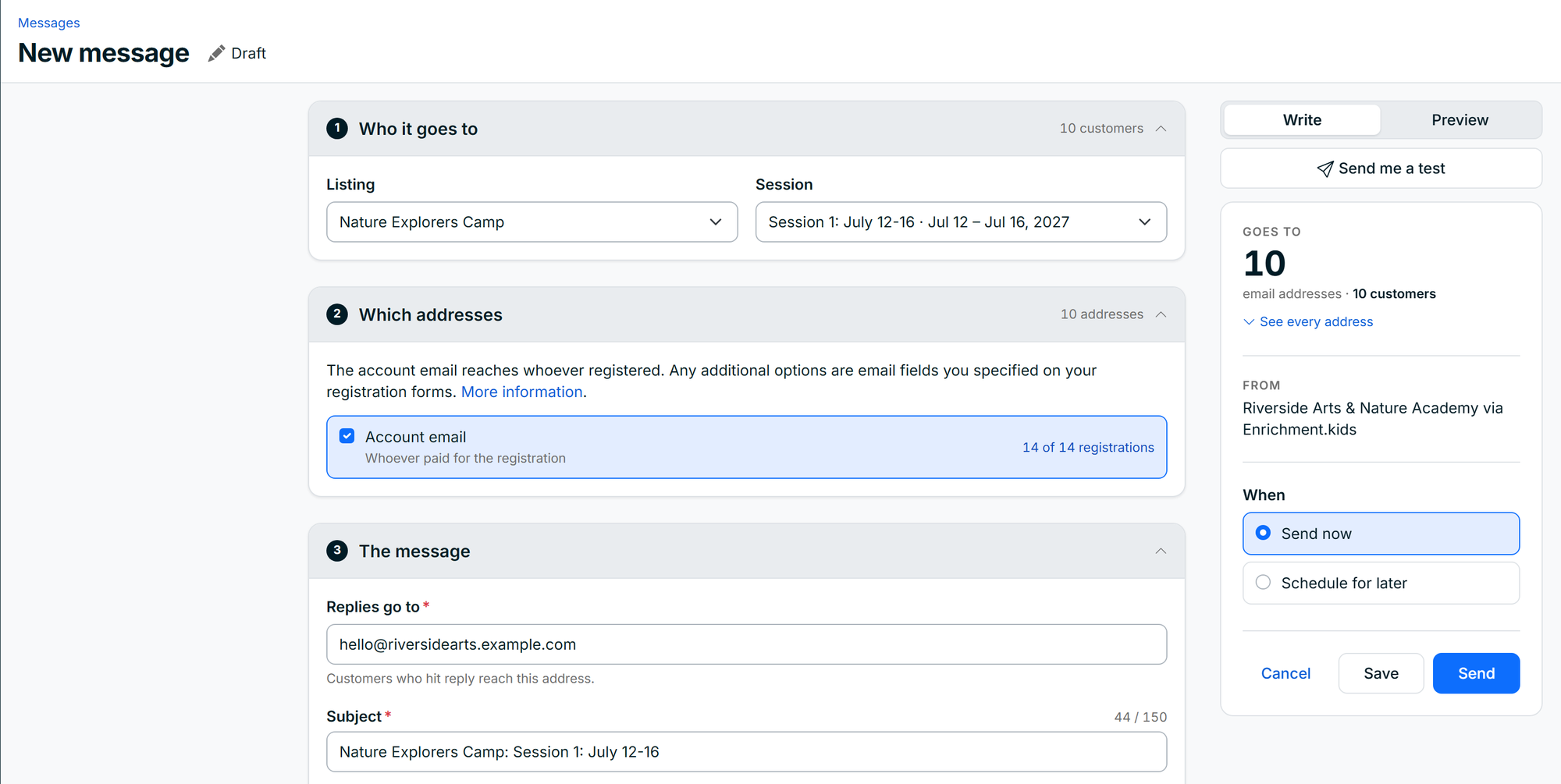
Email everyone in a session. Write to everyone registered for a listing, a session or a single drop-in day, straight from your dashboard. You see exactly who it will reach before you send, you can schedule it for later, and replies come back to your own inbox.
Know what's waiting on you. The bell at the top of your dashboard counts what needs a decision: refund requests, transfer requests, applications, changed form answers and past-due payments. Each one opens right where you can handle it.
Changes customers can ask for themselves. Customers can ask to move to another session or to cancel, and tell you why. You approve or decline in one step. If you approve a move to another listing, any forms that listing needs are requested automatically.
Bring your team in
Invite your staff with the access they need and nothing more:
- Owners and admins run everything.
- Staff see only the sessions they're assigned to, take attendance and add notes. They can't download customer records.
- Finance sees reports, payouts and billing, and can't change anything.
You also choose where notification emails go. Send them to your organization's email, copy the owners and admins who want them, and let each person turn their own copy off.
Opening day without the panic
If your registration opens at a set time and fills in minutes, opening day is a lot calmer now. Your page switches to open at the exact minute, without anyone refreshing. Checkout stays quick when a crowd arrives at once, and when traffic is heavy, customers wait in a short line and go through in the order they arrived. Nobody sees an error page.
See what's working
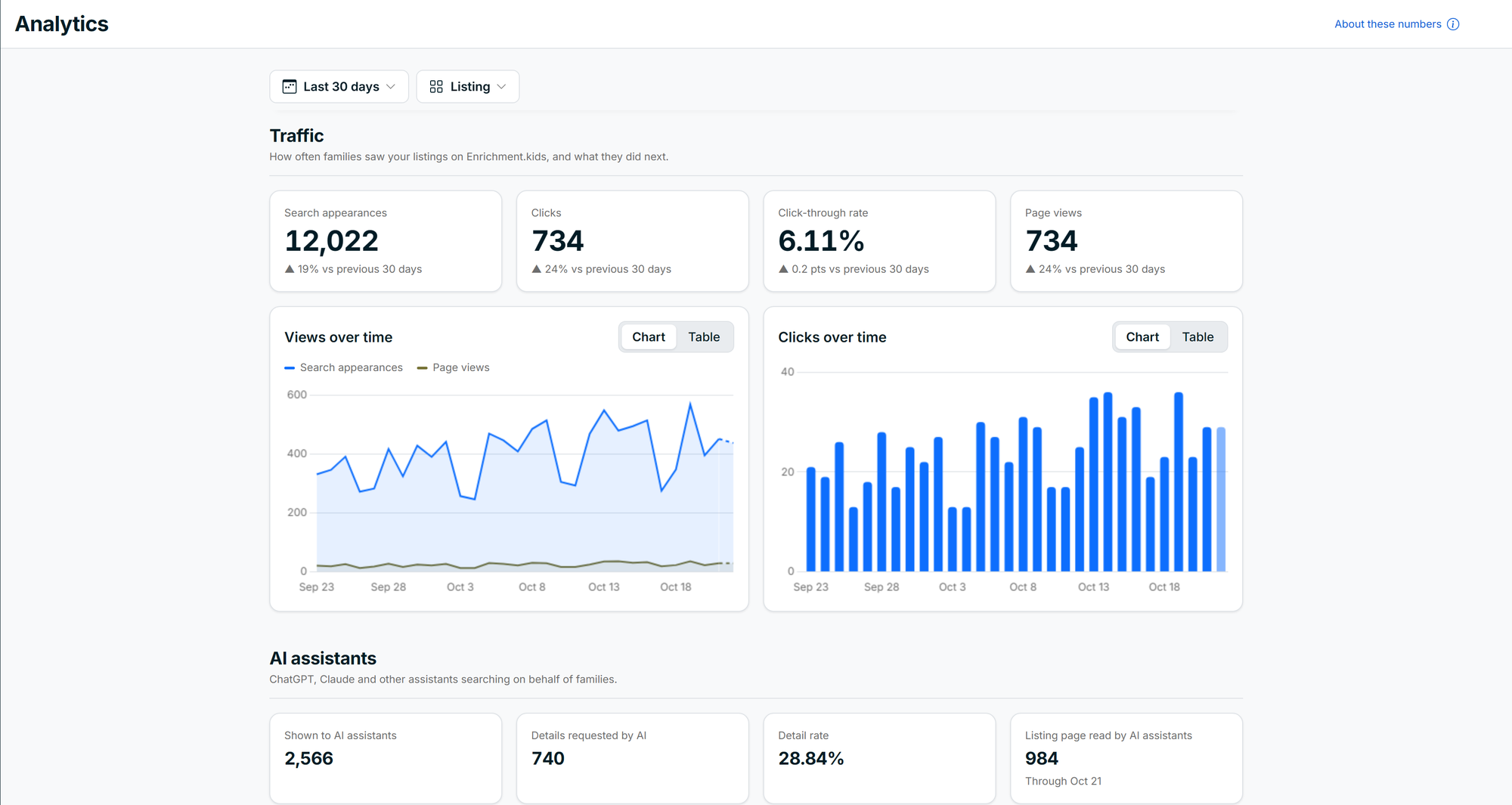
Your own analytics. See how often your listings appear in search, how many people click through and which listings draw the most interest. You'll also see how often AI assistants like ChatGPT and Claude find your programs when customers ask them for recommendations.
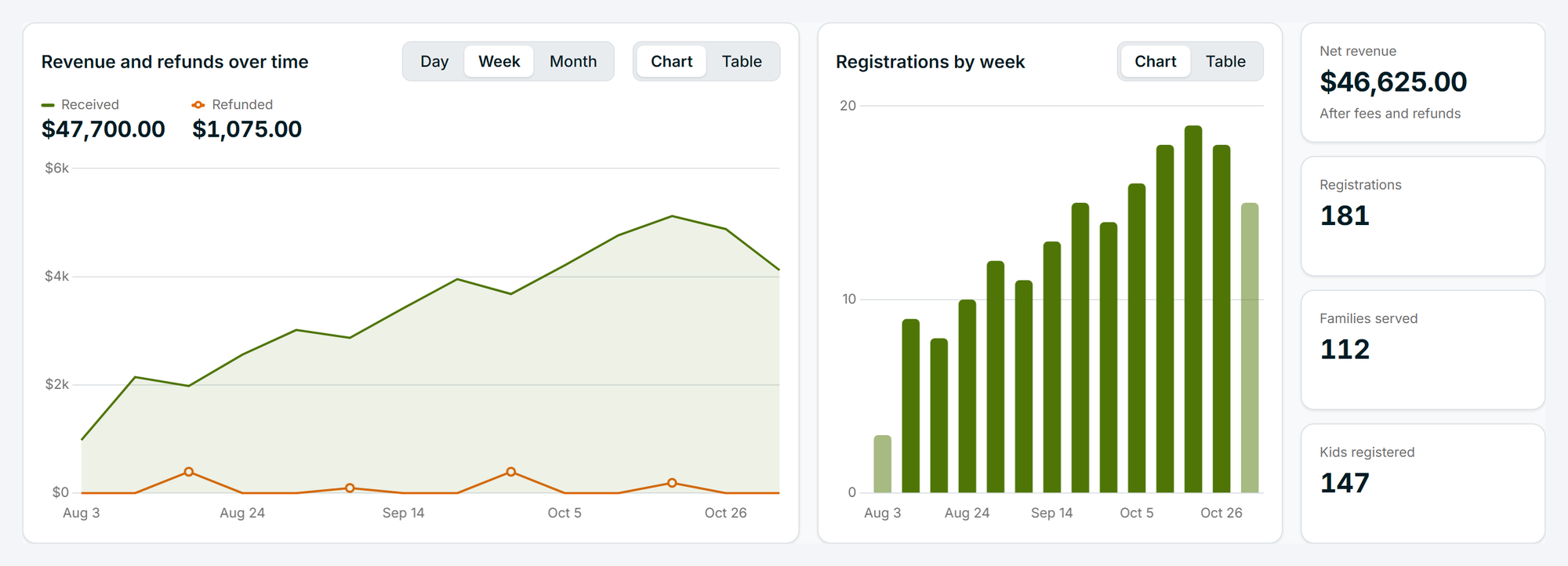
Sales at a glance. Your Sales Report now charts money received, refunded and still to come from payment plans, by day, week or month.
Getting started
Everything here is already in your dashboard, on every plan, with nothing extra to install. A few things are switched on per listing or session: attendance, payment plans, before and after care, and applications all start with a switch on the listing or session you want them on. Payment plans, monthly billing and account credit are available when you cover the processing fees on your account, which is how most providers are set up.
If you'd like a walkthrough of any of it, or you want to talk through how it would fit your program, get in touch through the Help center. We read everything, and much of what's above started as a note from one of you.