Put your registration form right on your own website
 Jessie Feller
You spent years building a website families trust. Your photos, your story, your colors, your reviews. Then registration opens and you have to send everyone somewhere else to actually sign up — a different site, a different look, a moment of "wait, is this the right place?" Every hop is a chance for a parent to get distracted, second-guess, or just close the tab.
It doesn't have to work that way. With Enrichment.kids, you can drop your live registration form directly onto your own website — same page, same brand, no redirect. Families browse your site, see the real session and price, add a spot to their cart, and only land on Enrichment.kids at the very last step to pay. You keep the relationship and the trust; we handle the checkout, the roster, and the money behind the scenes.
Here's exactly how it works.
What the embed actually is
The embed is a small block of code — one <iframe> and a short script — that you paste into your website once. After that, the registration form for your program shows up right there on your page, and it stays in sync automatically. Open a new session, change a price, sell out a date? Your embedded form updates without you touching the code again.
It's the same booking experience families would get on Enrichment.kids, just living inside your site instead of ours.
Setting it up (about two minutes)
Every program you sell on Enrichment.kids has its own embed code, and you'll find it inside the listing editor.
From your provider dashboard, open the listing you want to embed and go to the Embed Code tab in the left-hand menu (it sits right alongside Basics, Required Forms, and Sessions).
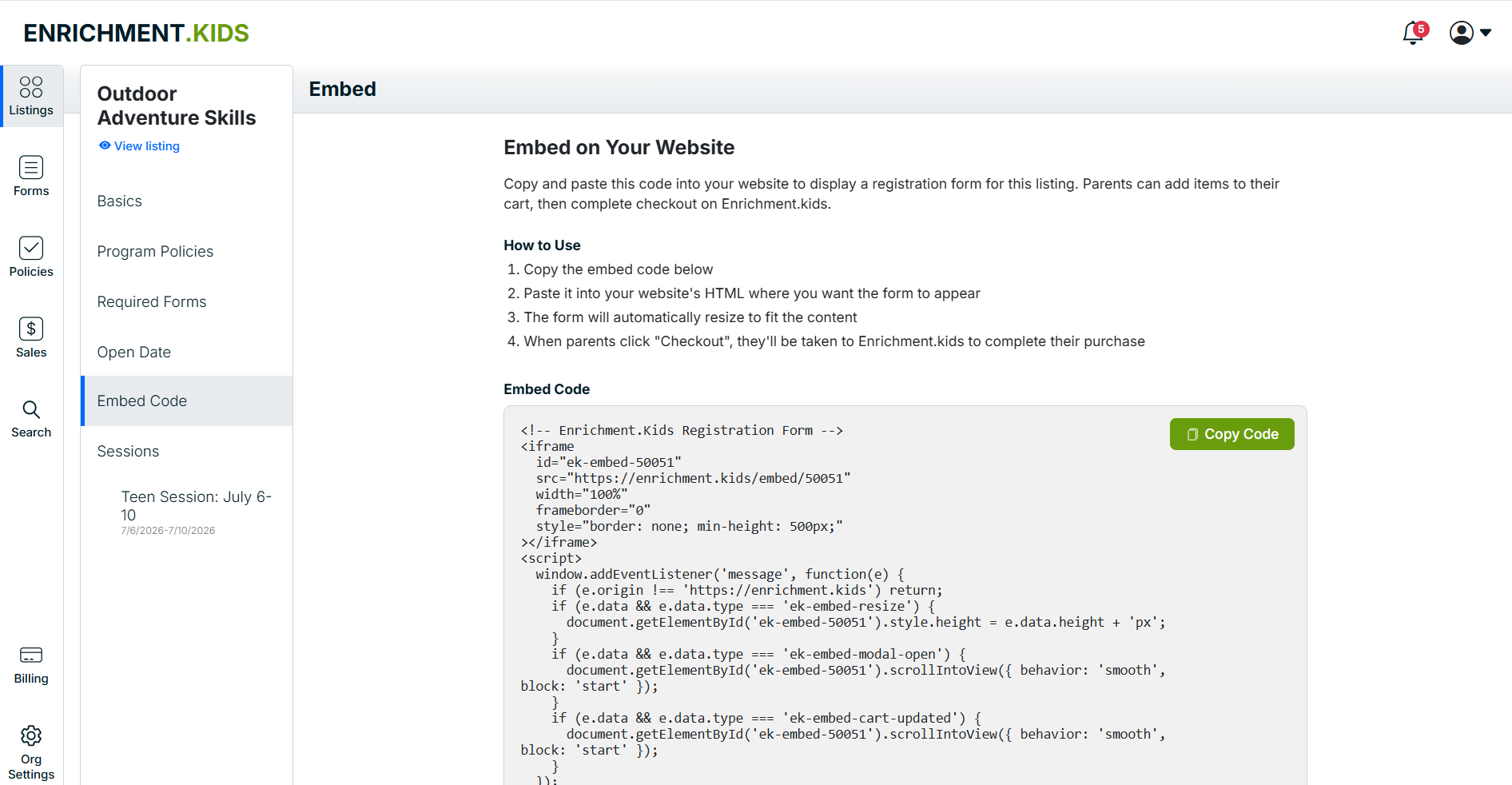
You'll see a short "How to Use" list and, below it, your code. There's a green Copy Code button — one click puts the whole snippet on your clipboard.
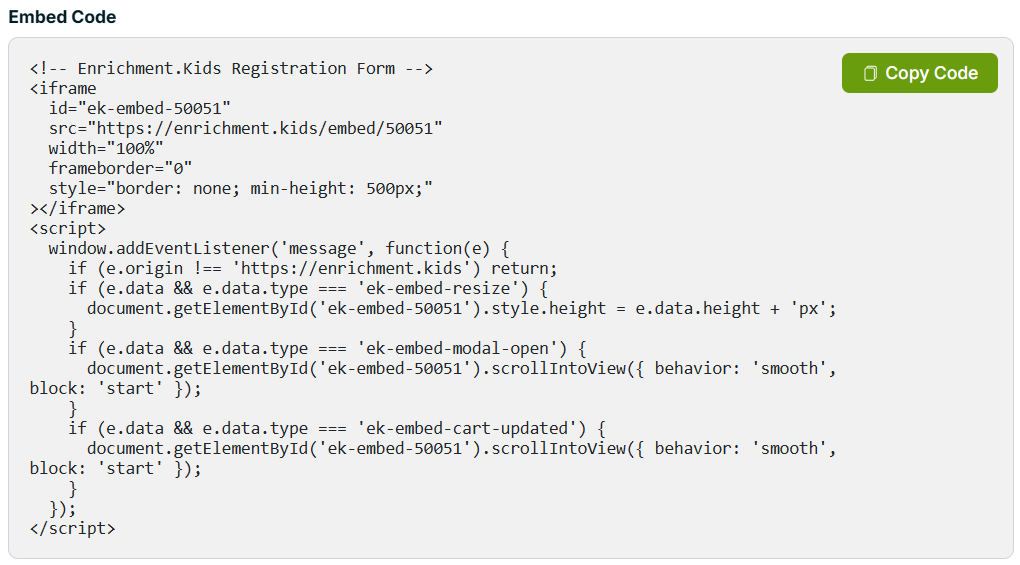
The code is just two pieces: an <iframe> that loads your form, and a small script that lets the form resize itself so it always fits neatly on your page — no awkward scrollbars or cut-off content. You don't need to understand the code to use it. Copy it, hand it to whoever manages your website (or paste it yourself), and drop it on the page where you want registration to appear — your "Register" page, a program page, the bottom of your homepage, wherever families look to sign up.
That's it. You only do this once per program.
Want to see it before you publish?
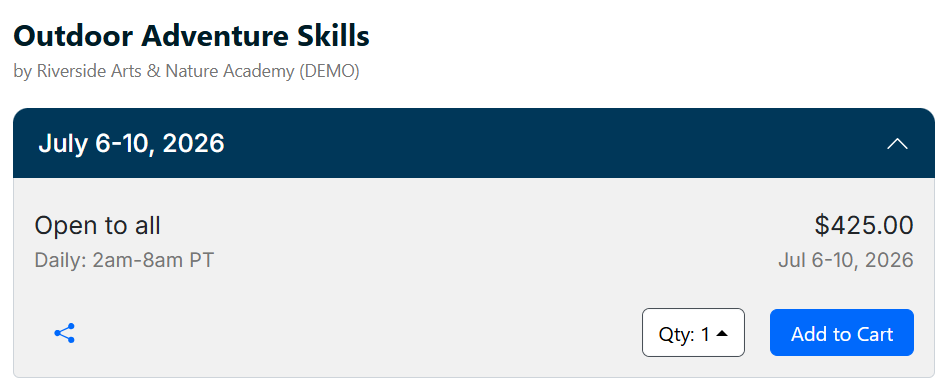
You don't have to paste it live to know what it'll look like. Right on the Embed Code tab, click Show Preview and the real form renders for you — session header, age range, price, quantity selector, and an Add to Cart button. It's exactly what a parent will see.
What families see on your site
Once it's live, the form just works — and it carries everything you've set up. Tiered pricing, age ranges, multiple sessions, drop-in dates: it all shows through.
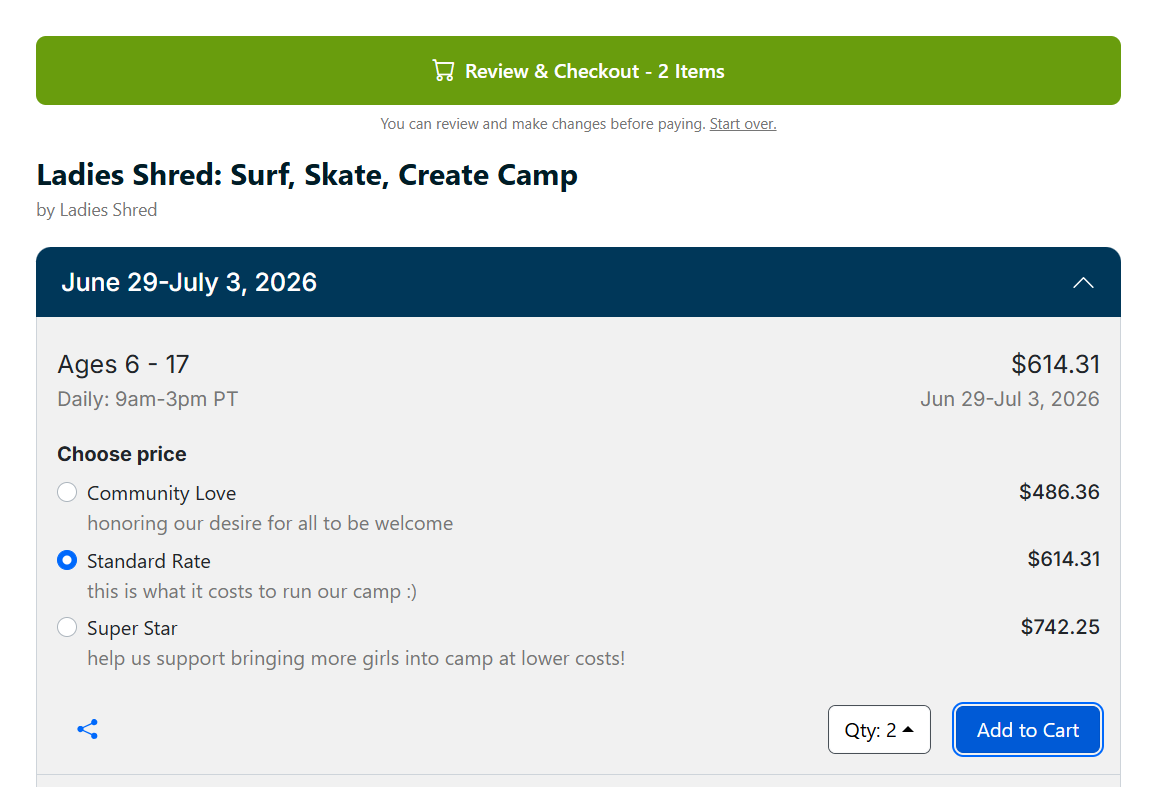
A great real-world example is Ladies Shred, who run a surf, skate, and create camp and use the embed on their own website. A family lands on their page and sees the camp's sessions right there — including Ladies Shred's pay-what-you-can pricing tiers (Community Love, Standard Rate, and Super Star), each with its own friendly explanation.
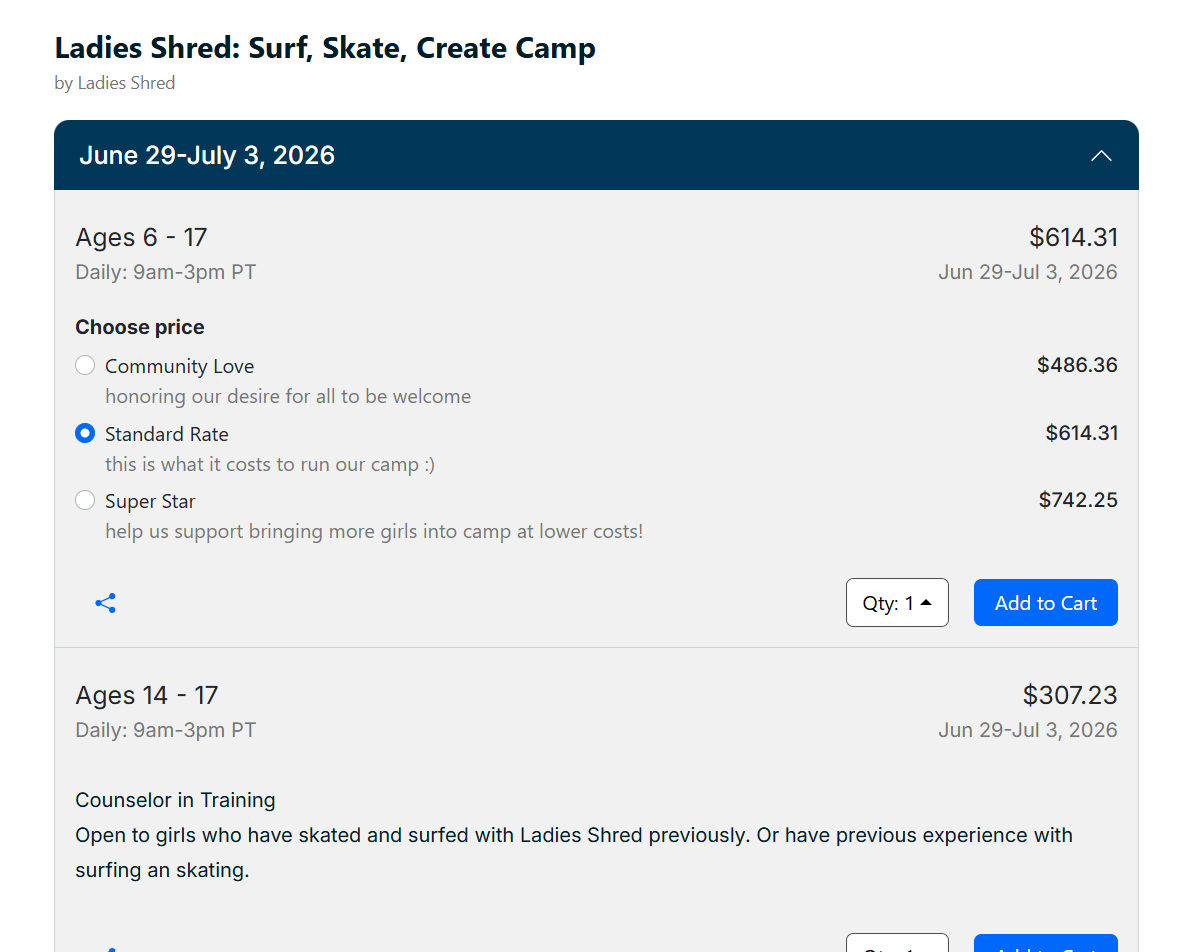
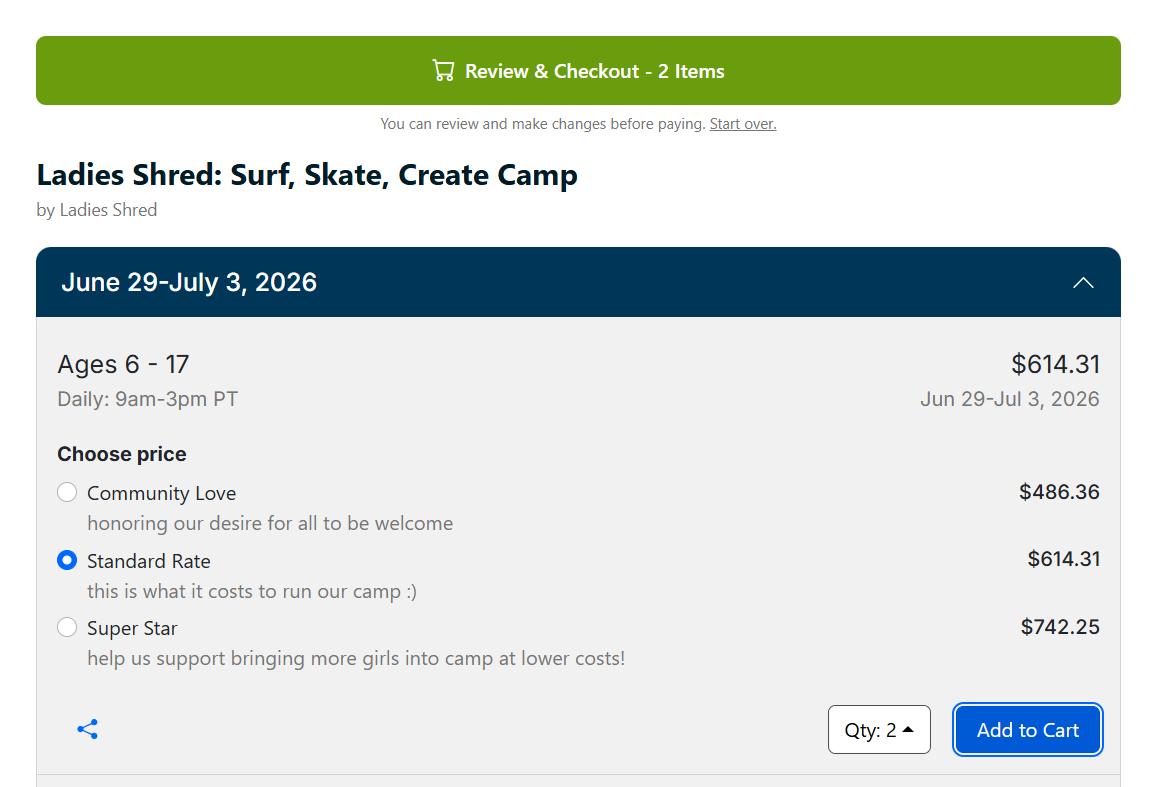
The parent picks a tier, sets the quantity, and clicks Add to Cart — all without leaving the camp's website. The form updates to show what's in the cart and offers a clear "Review & Checkout" button when they're ready.
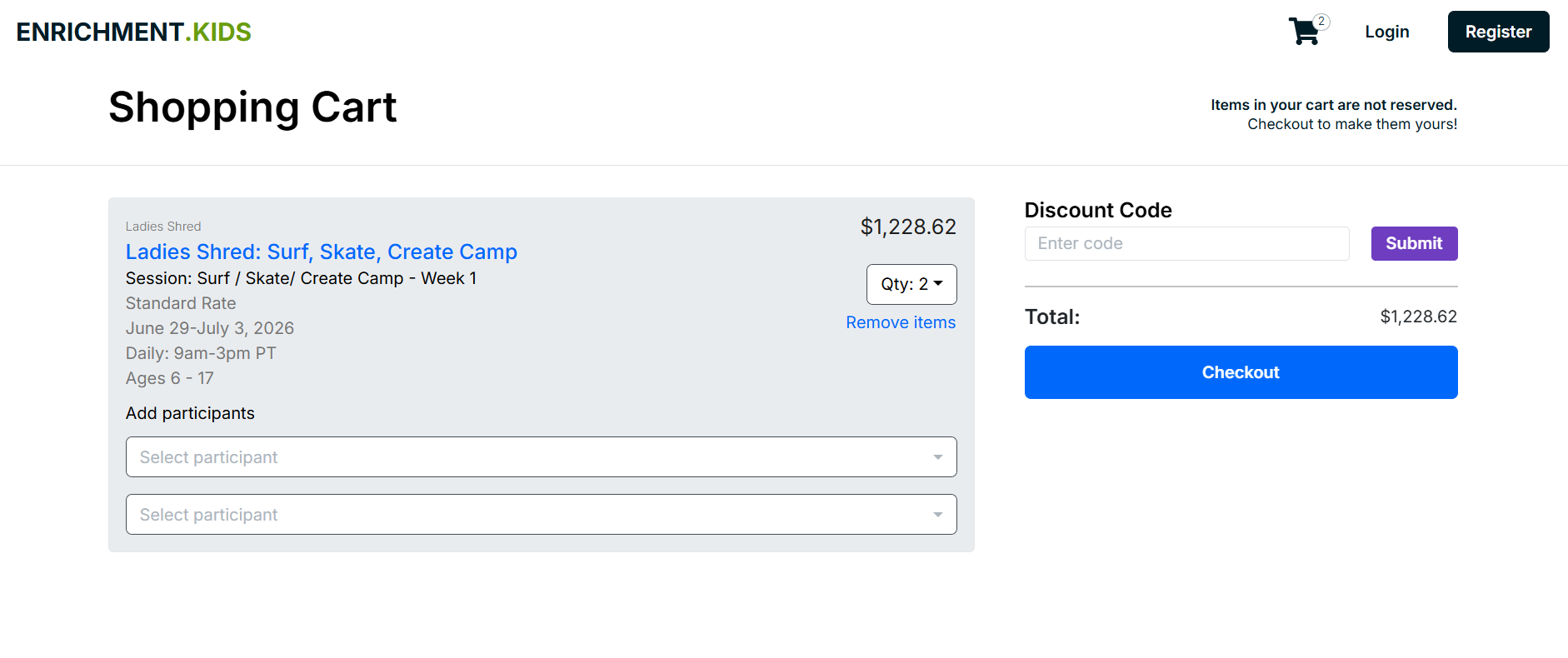
Only at the final step — actually paying — does the family move over to Enrichment.kids to complete checkout securely. They review their cart, add participants, apply any discount code, and pay.
From your side, that registration flows straight into your roster, your payment lands through your normal payout, and the family barely noticed they switched sites at all.
Why this matters for your business
You keep families on your turf. Every extra click between "I'm interested" and "I'm registered" costs you sign-ups. The embed removes the biggest one — the redirect — so parents decide and act in the same place.
Your brand stays front and center. The form lives inside your design, your navigation, your story. Families register feeling like they're dealing with you, because they are.
You still get all the back-office power. Embedding the form doesn't mean giving anything up. You keep Enrichment.kids checkout, secure payments, automatic rosters, waitlists, required forms, and discount codes — everything runs exactly as it would on our site. The embed is just a friendlier front door.
It maintains itself. Because the form is live, not a static screenshot, it's always current. New session, sold-out date, price change — it reflects reality the moment you update your listing.
Get started
If you already sell a program on Enrichment.kids, your embed code is waiting in that listing's Embed Code tab right now. Copy it, paste it on your site, and your registration form is live where families already are.
Not selling on Enrichment.kids yet? Turn on "Sell with Enrichment.kids" for a listing, add a session, and the Embed Code tab unlocks — then you're two minutes from a booking form on your own website.